
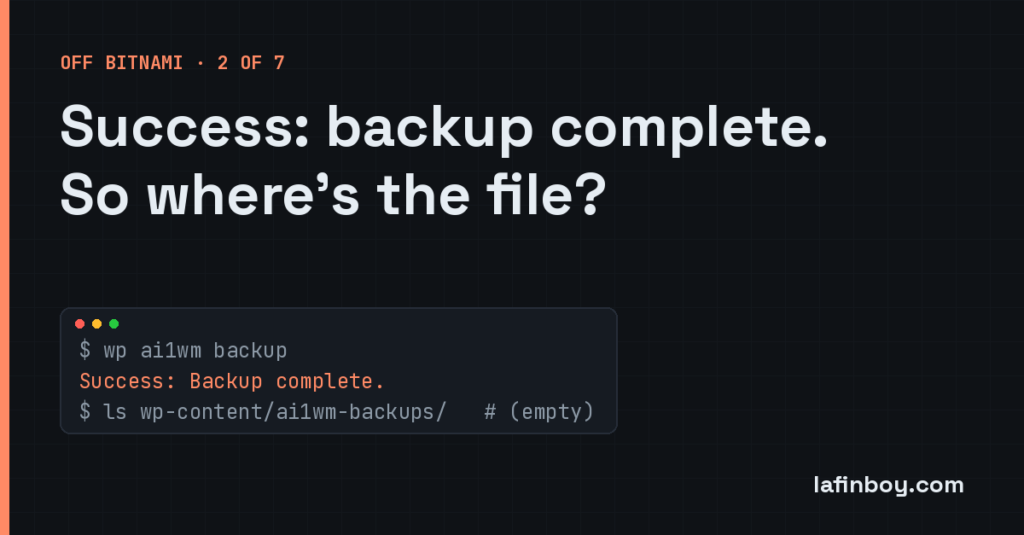
Success: Backup complete. That is what the terminal told me. There was no backup, and nothing about it was complete, but the terminal said success and moved on, quietly pleased with itself. This is a short story about the most dangerous word a program can print, and about a permissions bug that Bitnami has been quietly setting up for years.
This one comes out of the fleet migration I wrote about last time — moving a pile of WordPress sites off Bitnami Lightsail onto AWS’s managed blueprint. Phase three of that pipeline exports the old site’s data with All-in-One WP Migration, the plugin everyone reaches for. The command runs on the old box, produces a .wpress archive, and phase four ships it across to the new one. Simple, well-trodden, boring. Right up until the day it wasn’t.
The symptom
The export step finished suspiciously fast — about seventy seconds — and reported success:
wp ai1wm backup --allow-root
Success: Backup complete.
Then phase four went looking for the archive to upload, and found nothing. Not a truncated file, not a zero-byte stub. Nothing. The backup directory was empty:
ls -la wp-content/ai1wm-backups/
total 8
drwxr-xr-x  2 bitnami daemon 4096 Jun 30 08:14 .
drwxr-xr-x 34 bitnami daemon 4096 Jun 30 08:14 ..
An empty directory and a success message. Pick one, because they can’t both be true.
My first assumption was the boring one — disk space, or the export writing somewhere unexpected. Neither. There was plenty of room, and a search of the whole filesystem turned up no stray .wpress anywhere. The plugin had told me it had done a thing, and the thing did not exist. That is a special sort of infuriating, because there is nothing to debug. No error, no stack trace, no file. Just cheerful, confident nonsense.
Where the real error was hiding
The command line said everything was fine. The WordPress admin, it turned out, disagreed. Loading the All-in-One WP Migration screen in the browser showed the error the CLI had swallowed:
Could not create /opt/bitnami/wordpress/wp-content/ai1wm-backups/.htaccess file.
Please ensure the parent folder has read/write permissions.
There were more like it — the same complaint for web.config, index.php, index.html and robots.txt. That’s the tell. Before it writes a single byte of your actual backup, the plugin drops a handful of guard files into the backups directory: an .htaccess and friends whose only job is to stop the outside world from browsing your archives over HTTP. Sensible behaviour. It creates those first, they failed, and the whole export quietly gave up — but only the browser bothered to mention it. The CLI path reported success and washed its hands.
So the lesson arrives early and for free: when two surfaces of the same tool disagree, believe the one that’s complaining. And never fully trust a success message you can’t corroborate on disk.
The root cause, which is pure Bitnami
Look again at that directory listing:
drwxr-xr-x 2 bitnami daemon 4096 ... ai1wm-backups/
Owner bitnami, group daemon, mode 755. Read it out loud in permission terms: the owner can read, write and execute; the group and everyone else can read and execute, but not write. Owner-write-only.
Now, who is WordPress on a Bitnami box? PHP runs under Apache, and Apache runs as the user daemon — which is the group on that directory, not the owner. So the process doing the export can happily read the folder, list it, walk into it, and conclude everything looks fine. Then it tries to create a file, and the kernel says no, because the group bit is r-x, not rwx. Read access got the plugin far enough to think it was in business. Write access, the part it actually needed, was never there.
This is a trap Bitnami lays across the whole tree. Directories owned by bitnami but served by daemon, set owner-write-only, work perfectly for reading and fall over the instant something needs to write — uploads, cache, and, memorably, a backup plugin trying to protect its own folder. Multiply that across a fleet and it’s the kind of thing you want fixed once, in code, not rediscovered per site at the worst possible moment.
The fix
Two parts. First, hand the directory to the right owner — the same owner pattern the plugin folders already use, worked out from wp-content/plugins/ rather than hard-coded, because it isn’t the same on every box. Second, and this is the part that matters, set the mode so the group can write and new files inherit the group:
chown "$MODEL_OWNER" wp-content/ai1wm-backups
chmod 2775 wp-content/ai1wm-backups
2775 is rwxrwxr-x with the setgid bit on the front. The middle rwx gives the daemon group write access, so the export can finally create its guard files and its archive. The leading 2 — setgid — means every file created inside inherits the directory’s group instead of the creator’s, so the next process to touch it doesn’t hit the same wall from the other direction. It’s the same shape of fix I use on the plugin directories, which is the point: one consistent rule for “folders WordPress needs to write to on Bitnami”.
I folded it into the script that preps AIWPM, so it runs on the old box during preflight and again on the new box during bootstrap. It’s idempotent — run it a hundred times, it does nothing after the first — and it also cleans up any half-created guard files a previous failed run left lying around. After that, phase three did what it had claimed to do all along.
What I took from it
A success message is a claim, not a fact. If a step says it wrote something, the cheapest possible next line is to check that the something is actually there, and it will save you from exactly this — a green tick sitting on top of an empty folder. The corollary is that a tool can lie on one surface and tell the truth on another; the CLI and the admin screen were running the same code and reporting opposite outcomes, and only one of them was worth listening to.
And the Bitnami-shaped moral: owner-write-only directories are fine until something that isn’t the owner needs to write, which on a WordPress box is constantly. When a write fails for no reason you can see, check who owns the folder and who your process actually is before you check anything else. Nine times in ten on these boxes, that’s the whole story.