
A 1 GB Lightsail box has room for a live website, a MySQL server, and not a great deal else. Ask it to also run a backup process with a 400 MB appetite, while real visitors are still hitting the site, and something has to give. On the day I’m thinking of, what gave was the whole box.
This is another one from the fleet migration — moving WordPress sites off Bitnami Lightsail — and it’s the story of why the tooling ended up with three different ways to move a site instead of one. I didn’t set out to build three. I set out to build one, watched it fail in two completely opposite directions, and let the failures design the rest.
The nano box that wouldn’t move
The migration’s export step runs All-in-One WP Migration on the old server to package the site into a .wpress archive. On a healthy box it takes a minute or two. On this particular site — a small one, on a nano bundle with a single gigabyte of RAM — it ran for hours, and while it ran, the live site slowed to a crawl and then started timing out for actual visitors.
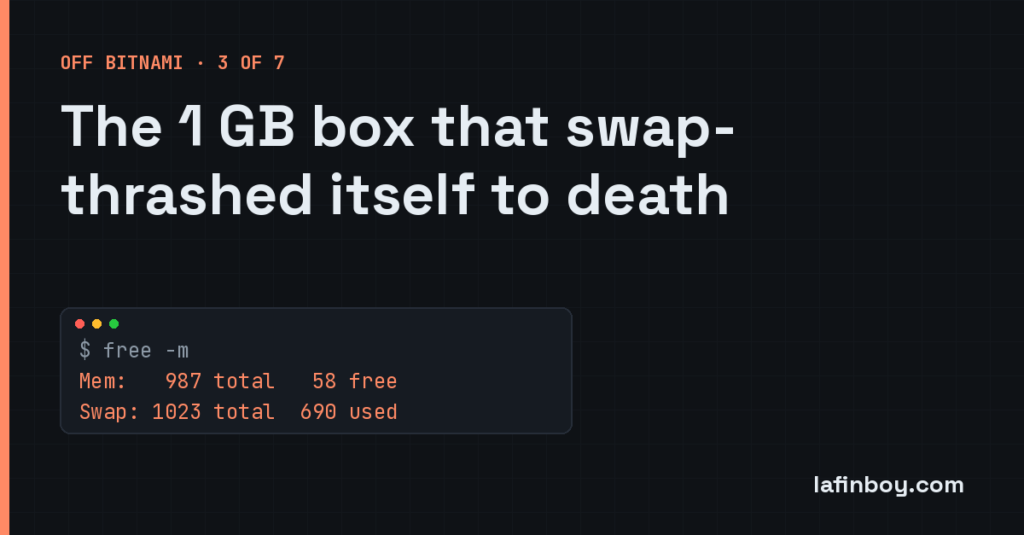
A quick look at memory told the whole story:
free -m
              total        used        free      shared  buff/cache   available
Mem:            987         889          58          12          39          41
Swap:          1023         690         333
Fifty-odd megabytes free, and nearly 700 MB pushed out to swap. The box wasn’t working, it was thrashing — spending most of its effort shuffling pages between RAM and disk instead of doing anything useful. AIWPM wants a working set somewhere between 200 and 400 MB. Add that to MySQL, add Apache still serving live traffic, subtract it from a single gigabyte, and there’s nothing left. So the kernel starts swapping, swapping is slow, the slowness makes everything take longer, taking longer means more processes pile up, and the box spirals. The backup tool wasn’t just failing to finish. It was taking the site down with it.
That’s the thing that stuck with me: the tool meant to move the site was competing with the site for the one resource neither could spare. On a 2 GB box you never see it. On a nano bundle under load it’s fatal.
The opposite failure, from the other end
I might have written that off as “nano boxes are too small, upgrade them” — except the same tool failed me again soon after, in the exact opposite direction.
This time it was a big WordPress multisite. Plenty of RAM, no memory pressure at all. The export was fine. It was the restore on the new box that hung — for six hours and counting, with the post and subsite counts barely moving.
The cause is baked into how AIWPM works. When it restores, it doesn’t just load the database; it walks through and does an inline search-and-replace of every old URL for the new one, row by row, across the whole dataset. On a single site that’s quick. On a multisite with 163 subsites, that’s roughly two thousand URL patterns applied against millions of rows, one row at a time. The maths is brutal and there’s no way to hurry it — the tool is doing exactly what it promises, just at a scale it was never really built for.
So: the same plugin was too heavy for the smallest sites and too slow for the biggest ones. The comfortable middle — a normal single site on a 2 GB box — it handled perfectly. That’s the shape of the problem. One tool, a fleet that ranged from thrash-prone nano boxes to enormous multisites, and a failure at each extreme.
Three modes, one auto-picker
The fix wasn’t a better single method. It was admitting no single method fits, and choosing per site. The pipeline grew a -Mode flag with three settings.
aiwpm is the original, unchanged — wp ai1wm backup on the old box, wp ai1wm restore on the new one. It does everything itself: files, database, the URL rewrite, the lot. It’s well-tested and it’s still the right answer for a normal single site on a box with room to breathe. It’s the default for the sensible middle, and nothing more.
lightweight is for the nano boxes. No AIWPM at all — just tar for the files and mysqldump for the database, piped through gzip:
tar czf - wp-content --exclude='cache' --exclude='ai1wm-backups' | ...
mysqldump --single-transaction "$DB" | gzip > db-export.sql.gz
Its working set is about ten megabytes instead of four hundred, because there’s no PHP layer holding the whole thing in memory — it streams. It finishes a site in one to three minutes where AIWPM was hanging for hours, and it’s gentle enough to run on a 1 GB box that’s still serving traffic. The catch is that it does no URL rewriting, so it assumes the site’s stored URL already matches where it’s going — which holds for these production sites, but is the sort of assumption you want to write down rather than discover.
hijack is for the giant multisites, and it’s the interesting one. It still uses AIWPM to export — that part works fine — but on restore it kills AIWPM the moment the files are unpacked and does the database itself, directly:
mysql "$DB" < database.sql
That skips the hours of per-row search-replace entirely. A direct import of a 2 GB dump takes about ten minutes. But there’s a trap hidden in it. AIWPM’s exporter deliberately blanks a few options on the way out — the active theme (template and stylesheet), the active plugins, and the network-active plugins on wp_sitemeta — because it expects its own restore process to fill them back in. Bypass that restore and you inherit a site with no theme and no plugins switched on. So hijack mode stages a small rehydration.sql, captured from the old site’s live database during bootstrap, and applies it after the import to put those values back. Skip AIWPM’s slow bit, but do its bookkeeping by hand.
And auto, the default, just picks between them from the shape of the site:
lightweight   if the source bundle is nano or micro        (the swap-thrash zone)
hijack        if multisite AND (subsites > 10 OR .wpress > 10 GB)   (the slow-rewrite zone)
aiwpm         otherwise                                     (the well-tested middle)
Every line of that is a scar. The first rule is the nano box that thrashed. The second is the six-hour multisite. The third is everything that never gave me trouble. “Auto” isn’t clever — it’s just three lessons wearing a trench coat.
One more thing that bit, while we’re here
There was a related failure worth a paragraph. Early on, the restore ran over an SSH connection I held open the whole time, waiting for it to finish. On the long jobs that connection would hit its timeout at two hours and drop — but the restore kept running on the server, now orphaned, with nothing watching it. I’d get a failure on my end and a half-finished site on theirs.
The fix was to stop holding the connection at all. Each mode now launches its work detached on the new box and polls for completion:
setsid nohup ./do-import.sh > /tmp/import-run.log 2>&1 &
The heavy lifting runs untethered, the log goes to a known file, and the orchestrator checks in on it rather than clinging to a pipe that might not survive the wait. A restore should not depend on my laptop keeping an SSH session alive for two hours.
The lesson
A tool that moves data is also a tool that consumes resources, and on a small box those two facts collide. The general rule I took away: never let the thing migrating a site compete with the live site for the resource it can least spare — usually memory. Match the method to the machine. A nano box needs something that streams; a giant multisite needs you to skip the clever per-row work and do the dumb, fast thing by hand.
And the honest bit underneath it: I didn’t design three modes because I’m thorough. I designed one, it failed at both ends, and each failure handed me a rule. That’s most of what “handling scale” turns out to mean — not anticipating every case up front, but letting the first one of each kind teach you the rule, and writing that rule down before it bites you twice.